
Web Guidelines Overhaul for Platform Migration & Website Redesign
Case Study 03
Overview
How do you keep a site consistent and its content organized when the system underneath it keeps changing?
The New York Philharmonic’s digital experience has gone through multiple overhauls since I joined in 2023. I was hired as they were preparing for a CMS replatforming from Sitecore to Silverstripe. A few years later, the site underwent a full redesign. Both projects triggered an audit of the documentation that 20+ staff across 5 departments relied on.
At a glance…
Contribution
I inherited guidelines and documentation written for Sitecore, and rebuilt them in two parts as one resource:
CMS documentation that walks contributors step by step through the CMS, from request to publish
Web asset guidelines for every web component, covering character limits, aspect ratios, CTA rules, and more, with annotated visual examples
Impact
Consolidated multiple documents into one centralized hub to make distribution and updating more streamlined
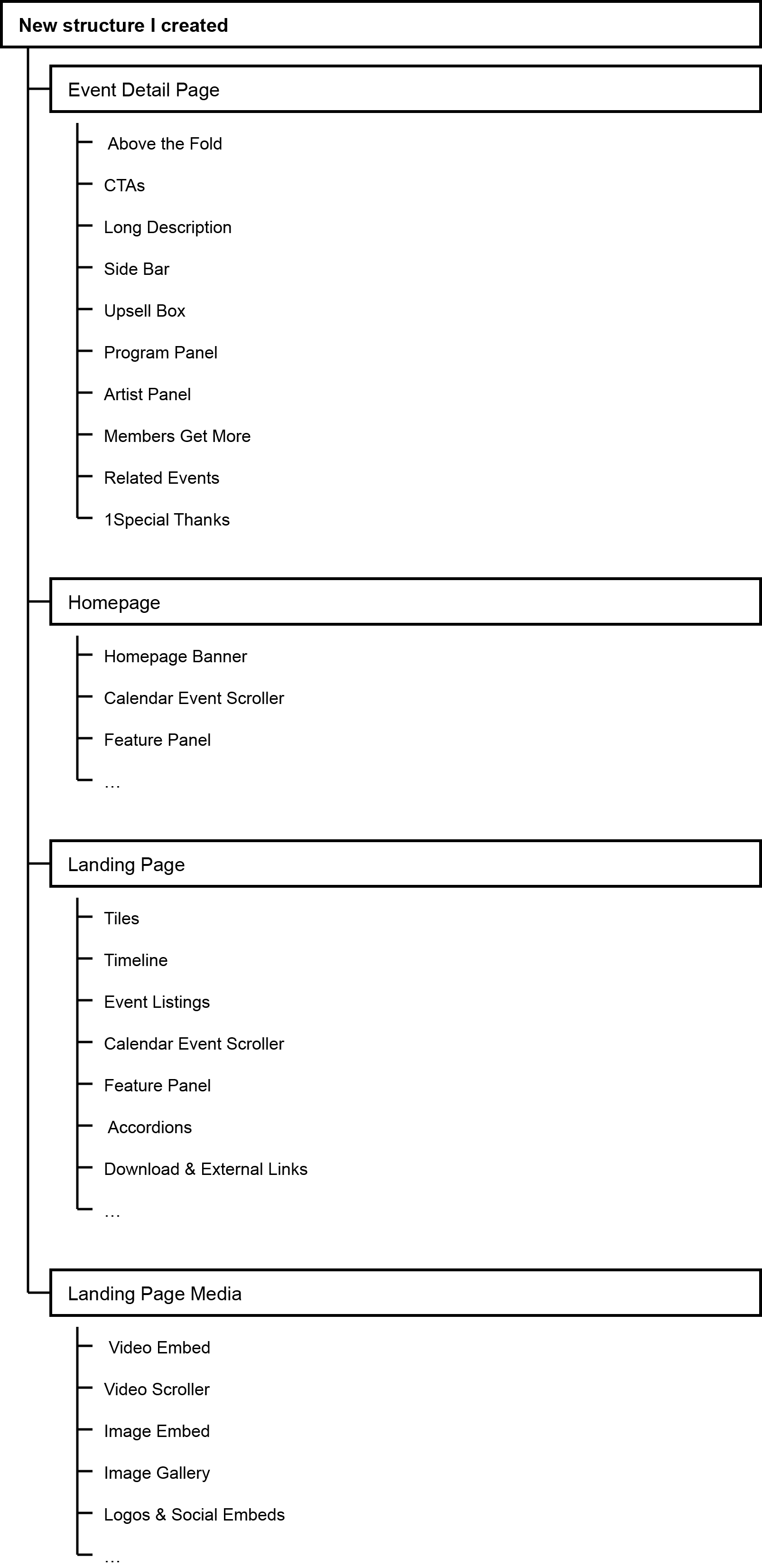
Improved wayfinding with jump links, clearer categories, and structuring the document’s IA to match the website
Created a reusable framework for building new documentation in the future
Key Takeaways
Treat documentation like a product with its own user needs and lifecycles. Documentation needs a solid foundation so that updates, revisions, and even full rewrites are more efficient.
People follow how-to documentation better when it shares a similar structure to the website it is explaining. Plain language goes far, but visuals show people how. Writing for the least familiar user makes a guide clear, and annotated visuals make it more usable.
Role
Lead Content Strategist
Timeline
Fall 2023 – Present
Tools
Silverstripe CMS, Figma, Google Workspace, Jira, Claude
Skills
Information Architecture, Content Audit, Content Migration, CMS Documentation, Content Governance, Naming & Labeling
The Challenge
Teams were navigating a muddied system where rules were shifting and behavior was inconsistent as major projects have overhauled the digital experience in recent years. Each web project required learning new CMS behaviors, understanding new branding rules, and finding workarounds as bugs were fixed and content decisions were still being finalized.
Platform Migration
Fall 2023–Spring 2024
Teams needed new step-by-step guides for an unfamiliar CMS to address workarounds, unintuitive behaviors, and new rules:
Generic field labels that didn’t say where content would appear
Draft changes buried in content blocks that could go unpublished
A new site tree that had to keep old URLs working
A 600+ page audit of what to move and what to retire
The Redesign
Fall 2025–Present
The redesign was both a reskin and a functionality update, so every content block needed new guidelines:
CMS and interface bugs had to be fixed before the new components could be shared across the organization
Content had to be migrated from older blocks into the new ones
Had to learn how the new blocks behaved in the CMS while placing content into them
Silverstripe 101
Before migrating content, we tested placeholder versions of the agency’s page templates and fixed anything that didn’t render correctly, like alignment, typography, or image crops. Testing showed me how the CMS connected to the site’s interface, so I could update the documentation as the new site was built.
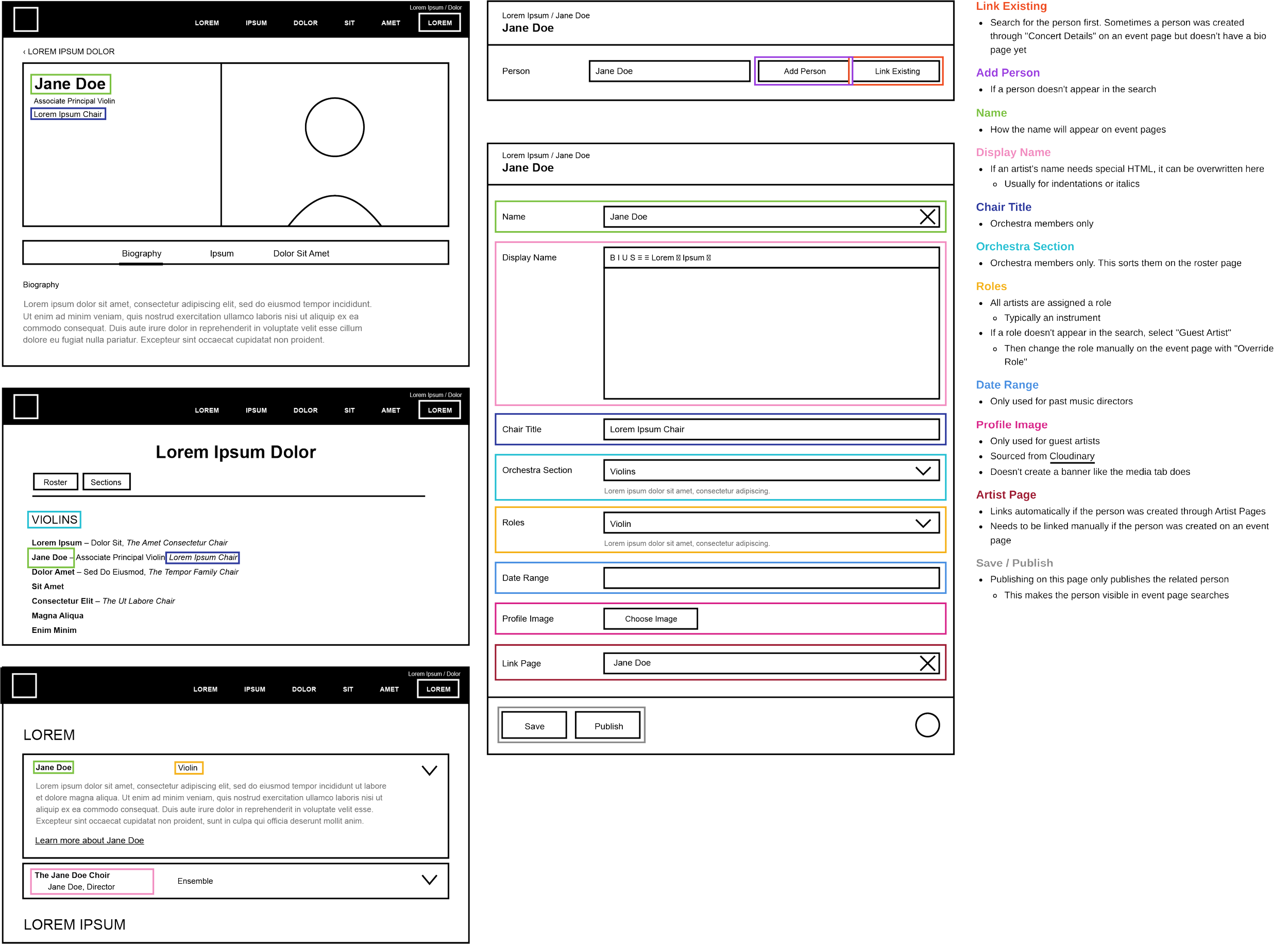
The listing of artists on various pages are a good example of how complex some of the CMS rules can be:
Left: three live pages where an orchestra member appears: their bio page, the orchestra roster, and an event page
Middle: a page of the CMS where some artist’s content is entered, the steps and rules editors followed for each field
Right: 4 new live pages for artist pages that featured functions like a modal, and new orchestra section buttons
The guide put live pages and the CMS side by side, with each field color-coded to where it showed up on the site. Users could trace any piece of content back to the field that controlled it.
Explaining the anatomy of a page
Impact on redesign revisions
The guide’s layouts made it easy to add new sections and edit existing ones without recreating everything.
The CMS mostly worked the same, but the new site displayed content differently, so I swapped in new screenshots and adjusted the how-to steps.
New content blocks work alike, so I could duplicate an existing entry and edit it for each new block.
Web Asset Guidelines
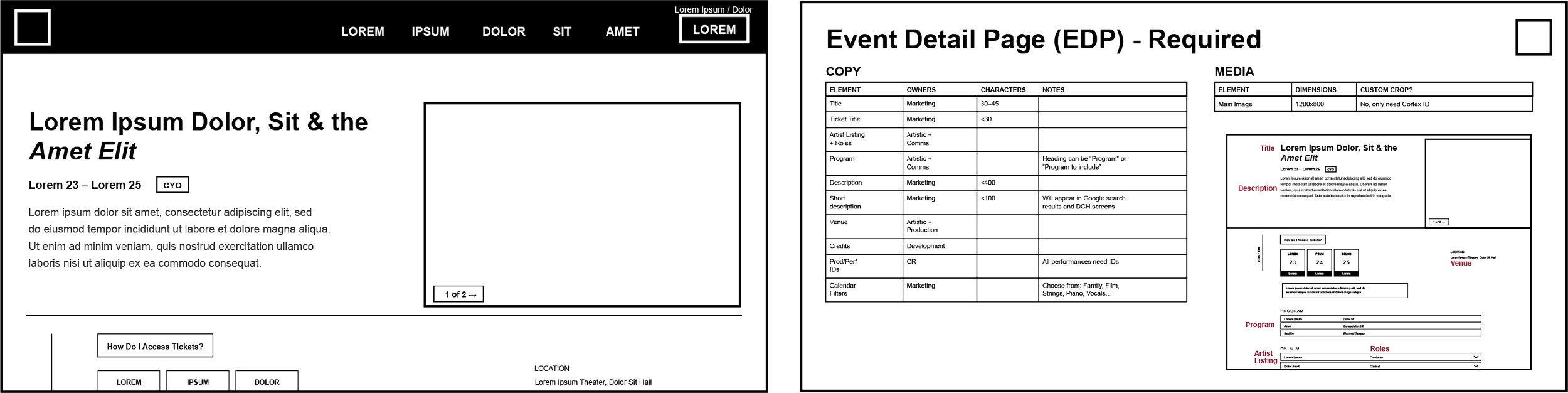
Before
Left: live event page pre-redesign
Right: explained as a mix of how to use the CMS and asset guidelines, so teams outside of the CMS editors had extra information and jargon that muddied the rules and styling
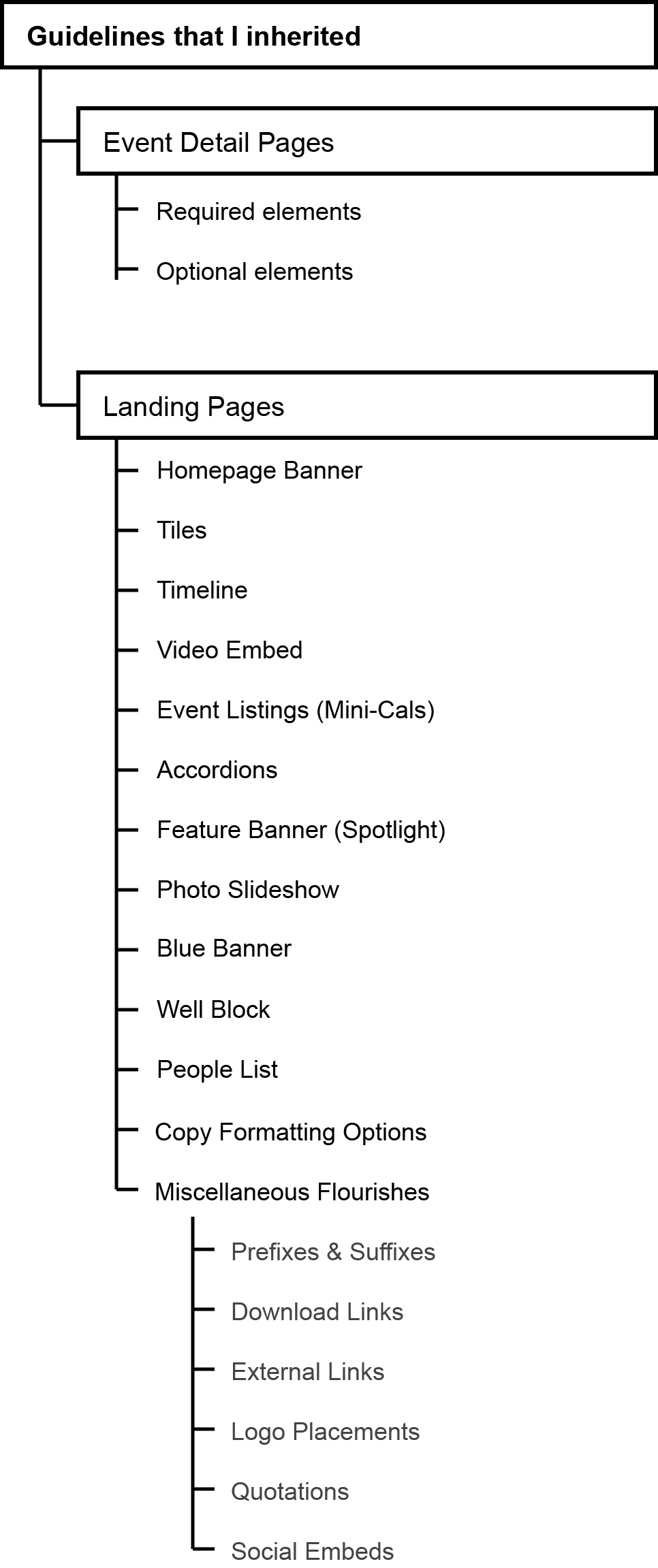
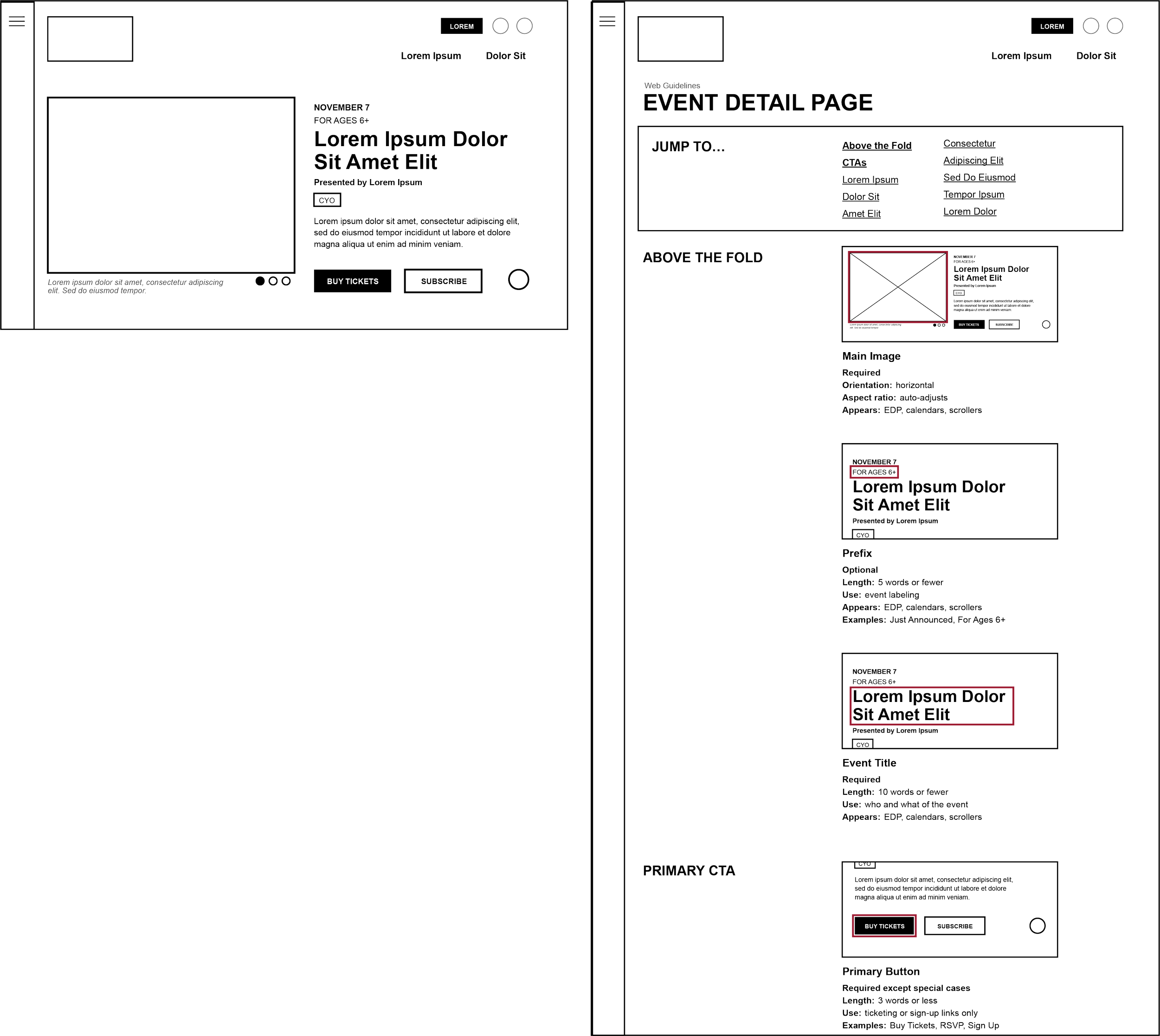
After
Left: live event page post-redesign
Right: explicitly became web asset guidelines, treating the how-to for the CMS as its own document, with its own user needs.
Broke down each element of each section of every main page type so users can find content blocks by the page they live in
Impact & Takeaways
The migration and the redesign each changed how the site worked, and the documentation adapted to both. What started as scattered PDFs and Word documents became one resource built into the CMS, used by 20+ staff across 5 departments.
CMS Documentation
Editors could start right away
Digital, PR, and communications teams used the guides to help with the migration and work in the new CMS without a knowledge gap.
One place for everything
Multiple documents were consolidated, with jump links and clearer categories, so contributors who work across them have one starting point.
Asset Guidelines
Built into the CMS
Plain-language rules and examples, reachable from one link, replaced long PDFs that people messaged my team about instead of reading.
Rules for every block
Character limits, CTA language, prefixes, and approved templates gave editors a clear way to fill each new block.